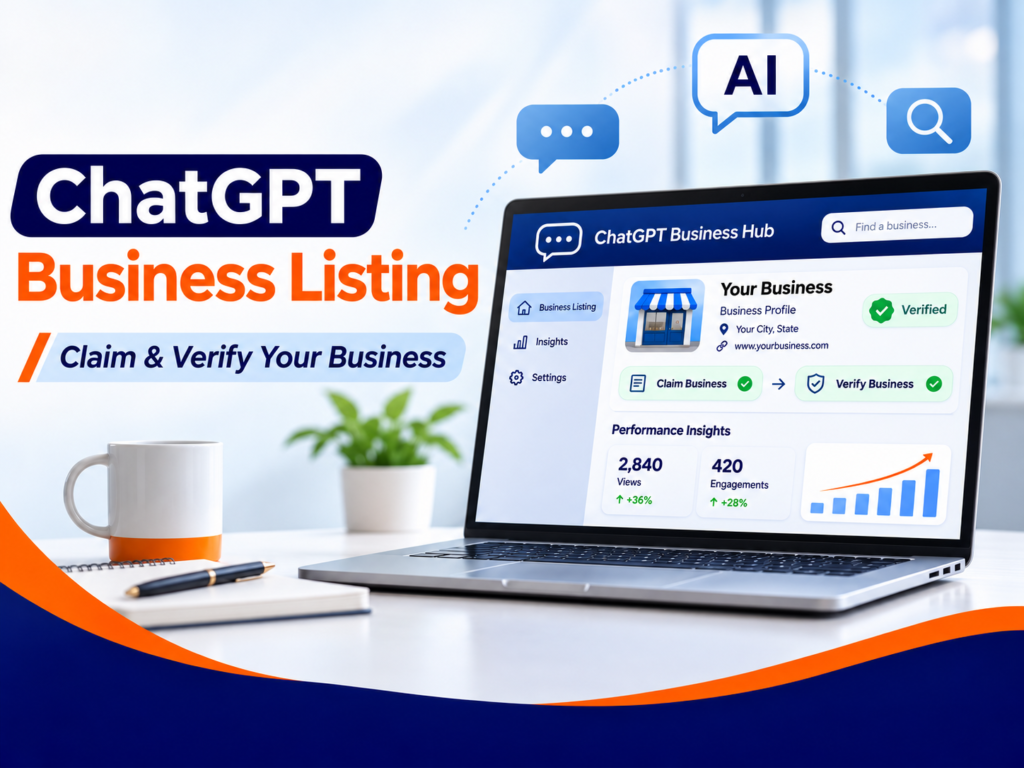
People are using ChatGPT to compare businesses before they visit a website or reach out. Now eligible companies have a new way to manage their business information directly in ChatGPT.
On November 10, 2026, OpenAI introduced Businesses in ChatGPT in beta. Through Business Hub, eligible businesses can claim a profile, confirm ownership, update key details, and review information about how people discover them.
But claiming a profile is not a shortcut to better AI rankings. This guide walks you through the setup process, explains the new performance insights, and shows what business owners should check before getting started.
What Is a ChatGPT Business Listing?
A ChatGPT business listing is a business profile that an eligible owner or authorized representative can claim through ChatGPT Business Hub. It provides a way to submit up-to-date information about the company, including its website and the products or services it offers.
OpenAI also introduced a separate Business Agent experience for certain eligible companies, giving customers the option to ask questions about products, services, and policies through an agent representing that business.
Claim and Verify
Confirm your relationship to the business using one of the supported verification methods.
Keep Details Current
Submit accurate business information and, where supported, product details.
Review Insights
Understand eligible aggregated mentions, website clicks, and discovery topics.
It is not the same service as Google Business Profile , and claiming it does not mean your company will appear in every recommendation.
How to Claim and Verify Your Business in ChatGPT
OpenAI's setup process depends on the business type and location. The steps below reflect the official Business Hub guidance. Some options may not appear on every account.
Open Business Hub and Find Your Business
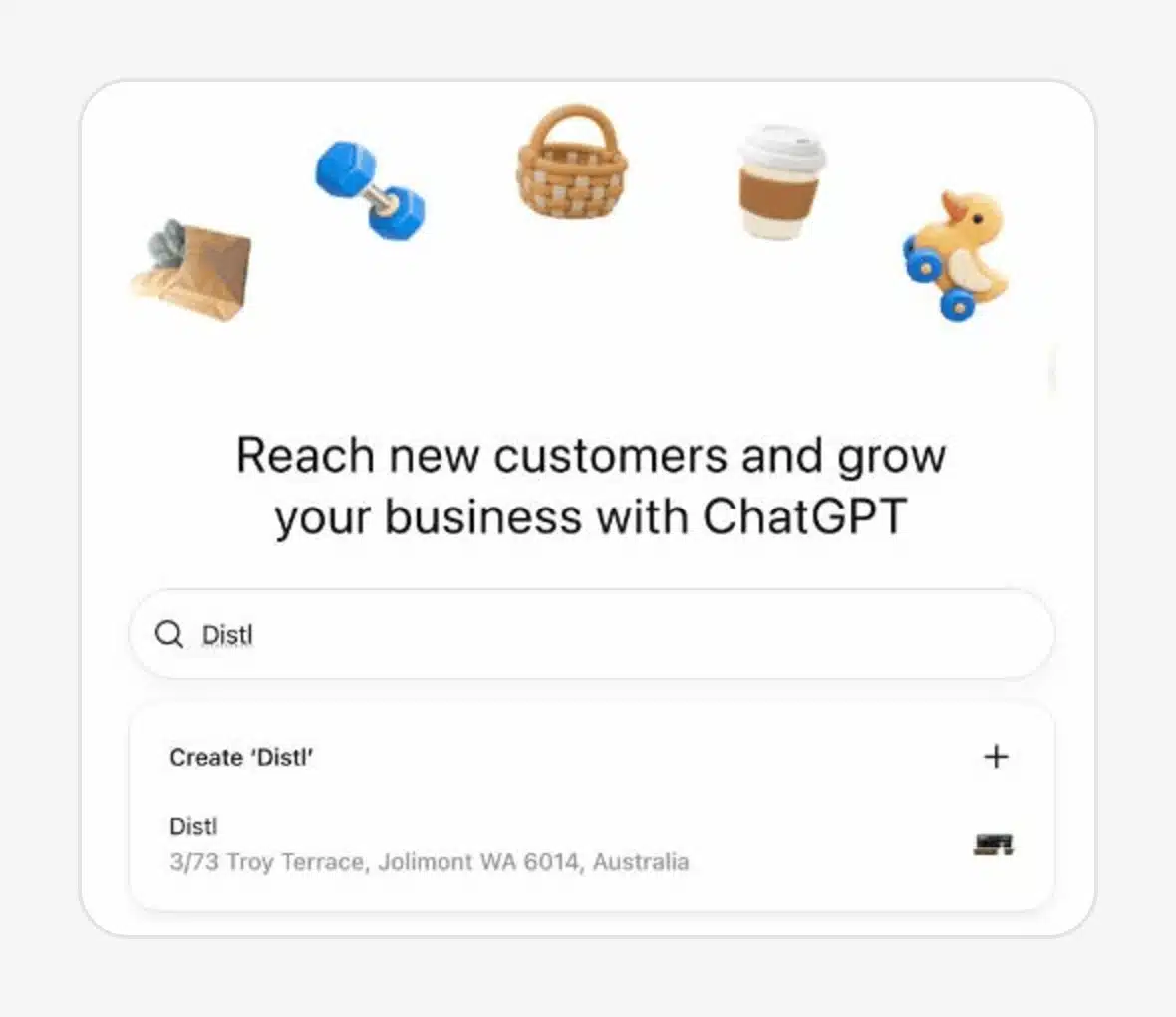
Sign in to ChatGPT and open Business Hub from the sidebar, or go directly to ChatGPT Business Hub . Search for your company name and select the correct existing listing if one appears.
Eligible online businesses may also see an option to add a profile if their business does not appear. That option is not available to every business category.
Choose the Account That Will Manage the Profile
Select the matching listing and confirm the ChatGPT account you will use. If you're helping a client, get permission first.
Only a business owner or authorized representative should claim or manage a business.
Verify Your Connection to the Business
OpenAI shows the verification methods available for your particular listing. These may include:
- Business phone: Enter a code received by text message or automated call.
- Business email: Confirm a code sent to an email associated with the company.
- Website domain: Add the TXT record provided by ChatGPT to your domain's DNS settings.
- Shopify: Connect an eligible store through Shopify or Business Hub.
If you use DNS verification, copy the host and TXT value exactly as shown in your own account. Do not copy another company's verification record.
Wait for Claim Approval and Complete Persona Verification
After you submit the business claim, OpenAI reviews the request. Once approved, you must complete a separate identity verification process through Persona to publish profile edits, view insights, or set up other eligible management features.
Persona may request identification, business registration information, or evidence of authorization. The blue verified check appears only after the relevant Persona approval, not simply after submitting a claim.
Review and Update Your Business Information
After the necessary approvals, review the information available in your profile. Depending on your business category, this can include your website, description, product or service category, logo, cover image, and relevant delivery or return policies.
Write a specific business description instead of a string of keywords. Explain what you provide, who you serve, and how customers can learn more.
OpenAI may review submitted changes before publishing them.
Use OpenAI's documentation for current eligibility, verification choices, and profile management requirements.
How to Check Your Business Performance in ChatGPT
One of the most useful additions is Business Hub Insights. Once the necessary approvals are complete, eligible businesses can view aggregated activity over recent reporting periods.
This information can help you understand where ChatGPT may be contributing to discovery, but it is not a complete picture of customer demand.
Business Mentions
For an online business, OpenAI counts a mention when ChatGPT references its website. A brand name alone does not count.
Website Clicks
Shows clicks from supported ChatGPT experiences to your website. A click is not proof of a sale or enquiry.
Discovery Topics
Shows common themes connected with answers that cited or mentioned the business, without exposing private prompts.
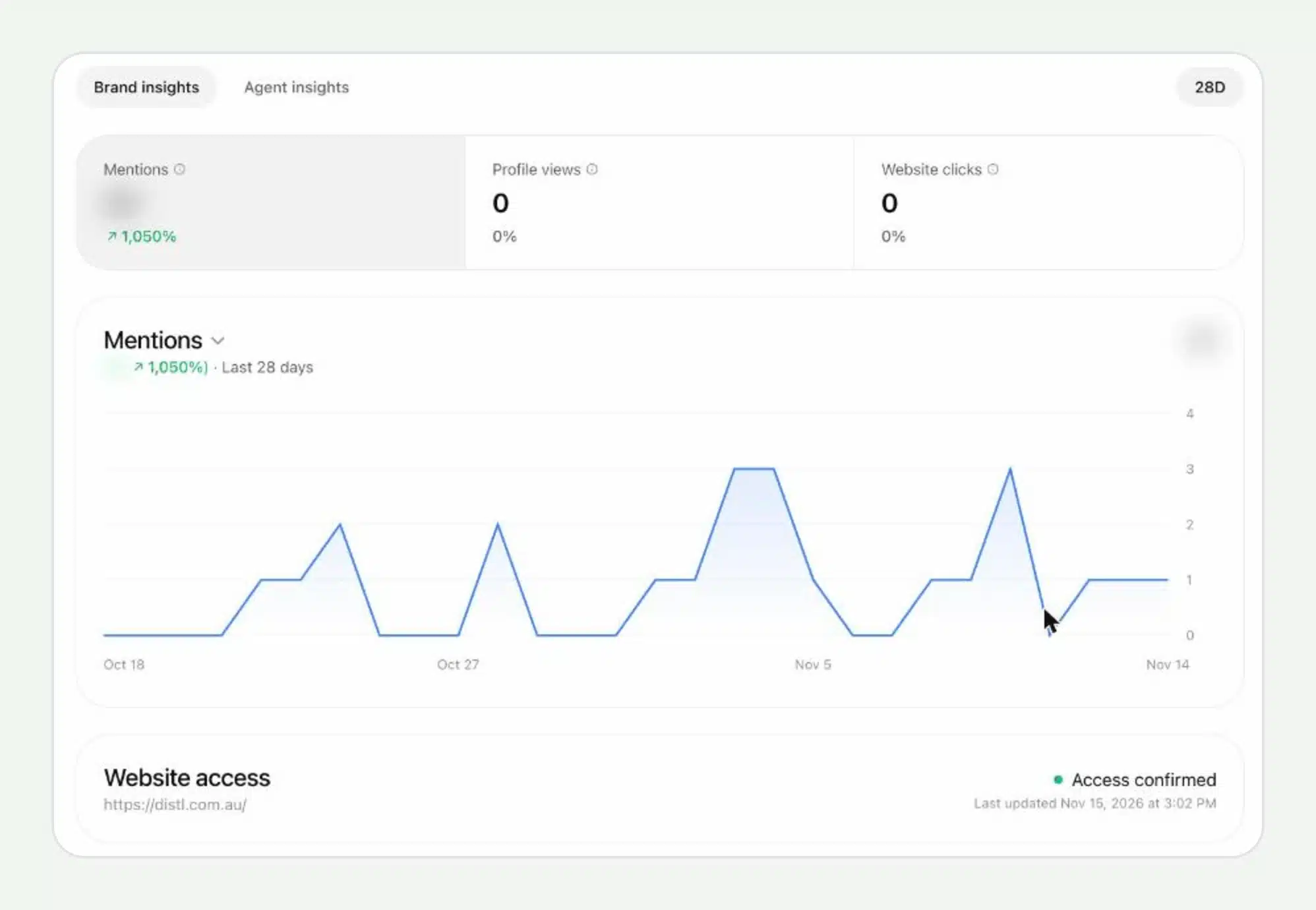
OpenAI does not share individual ChatGPT conversations with businesses. Counts may be unavailable or incomplete when reporting thresholds have not been met.
Compare Business Hub insights with your own analytics, lead forms, and customer enquiries rather than interpreting a single chart as business growth.
Who Can Claim a ChatGPT Business Listing?
Eligible businesses in locations where ChatGPT is available can potentially claim a business profile. But access depends on business category, location, supported verification, and OpenAI's checks.
Business Hub Profile
Potentially available to eligible businesses where supported. The ability to claim an existing listing or create a new one varies. Local stores and restaurants currently have additional restrictions.
Business Agents
A separate feature currently available to eligible U.S. e-commerce and online service businesses that meet OpenAI's requirements.
Is ChatGPT Business Hub Available Outside the United States?
Business claiming is not limited in principle to the U.S., but eligibility is not universal.
If you cannot find your company or the verification option is unavailable, you may need to check back as the beta expands.
Do not assume an unavailable option means your website has an SEO problem.
Does Your Business Need Shopify?
No. Shopify is one supported way to connect an eligible store, but OpenAI also offers other business verification methods.
Shopify integration and Business Agents should not be confused with the basic claiming process.
Will a Verified ChatGPT Business Listing Improve AI Search Rankings?
No ranking improvement is guaranteed. OpenAI says ChatGPT continues to make independent recommendations and comparisons, and claiming a business does not guarantee higher placement or sales.
That distinction matters. Business Hub is an official way to manage information and understand certain interactions.
It is not a direct replacement for technical SEO, helpful service content, or a trustworthy website.
What Should Business Owners Work on Alongside Business Hub?
- Check accuracy: Keep your company name, website, business description, and public profiles consistent.
- Improve important service pages: Clearly explain what you offer, who it helps, and how customers can contact you.
- Review access: Make sure important website pages can be crawled and indexed where appropriate.
- Test real customer questions: Check how your business appears in ChatGPT Search and other relevant AI search experiences.
- Measure leads, not just mentions: Compare native platform insights with website analytics and actual enquiries.
If you want to test whether ChatGPT and Google AI Search already surface your business, follow our step-by-step AI visibility audit guide .
For a broader explanation of why companies may be missing from AI answers, read why your business may not appear in AI search results .
Frequently Asked Questions
Can I claim a business on ChatGPT for free?
OpenAI says an Ads account or ChatGPT Enterprise agreement is not required to claim an eligible business. Check the Business Hub flow and current terms for your account.
Do I need a website for a ChatGPT business listing?
OpenAI initially supports claiming for eligible businesses with a website. Specific options still depend on the business type and available claiming flow.
Is business ownership verification the same as the blue badge?
No. OpenAI separates claim verification from identity verification through Persona. The blue verified badge appears after Persona verification is approved.
Can I manage a client's business profile?
You may manage a business you are authorized to represent, subject to OpenAI's requirements. The business should retain appropriate account control, and required verification must be completed.
Will claiming my profile help me appear at the top of ChatGPT answers?
Not automatically. Claiming gives you information management options. It does not guarantee recommendations, higher placement, leads, or sales.
Can businesses see the exact questions people ask ChatGPT?
No. Insights include aggregated information and discovery topics. Businesses do not receive individual prompts or private conversations.
Can my business still appear in ChatGPT without claiming a listing?
Yes. ChatGPT may show business information when responding to relevant questions whether or not a company has claimed its profile.
Final Thoughts
ChatGPT Business Hub is an important addition to the way companies can manage their online presence. Eligible businesses now have a place to claim a profile, update details, and review aggregated discovery insights.
The best starting point is simple: check whether your business is eligible, complete verification through the official process, review the information on your profile, and monitor the available data.
At the same time, keep improving the website and content people depend on when comparing services.
A claimed listing is one useful piece of your AI visibility strategy, not a guarantee of being recommended.
Not Sure How Your Business Appears in AI Search?
We help businesses review their visibility across Google and AI-powered search, improve service-page content, and identify practical SEO and online reputation opportunities.
Let's start with what your potential customers can actually find.
Discuss Your AI Search Visibility ↗